The task this week was to experiment with AI and incorporate it in a design workflow. I chose to use AI to see if it could help improve upon a poster I previously created for another assessment. For this experimentation I chose to use Microsoft CoPilot.
Brief
Improve the poster’s realism and atmosphere to enhance its professionalism
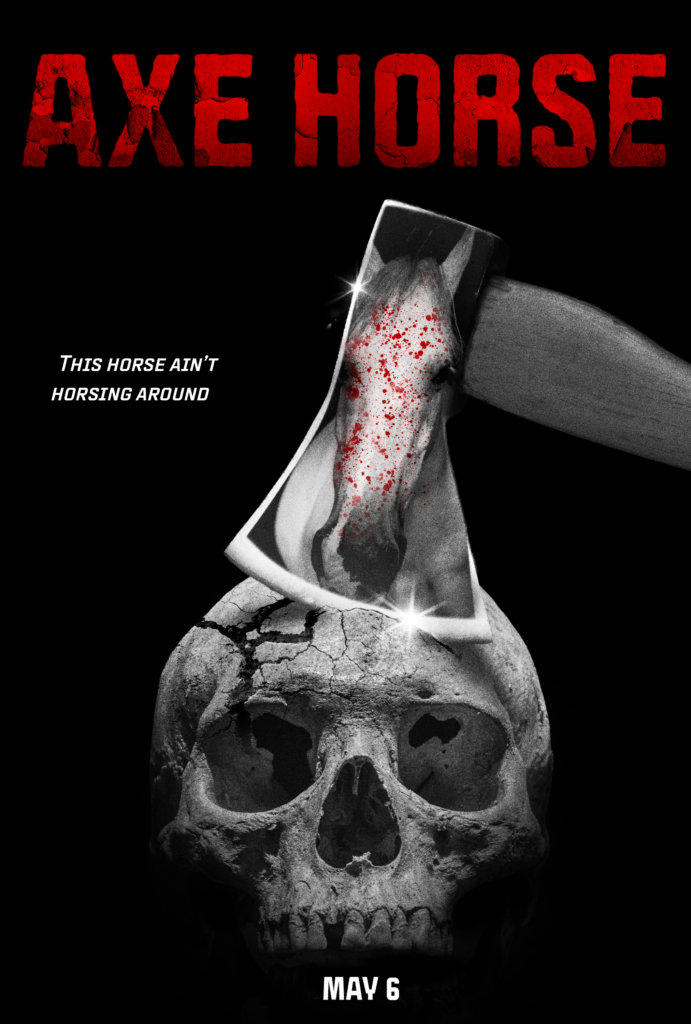
I began the co-creative journey by brainstorming ideas for how I could improve the poster. Some of the things I wanted to improve were clarity of the poster, the realism and compositing, and the background. I then asked CoPilot for additional ideas.
Prompt:
Give me a concise overview of what can be improved in this movie poster
Result:
Typography: The title font feels generic and doesn’t match the gritty tone. The tagline and release date lack visual cohesion and could use stronger styling and hierarchy.
Composition: The top of the poster is visually heavy while the bottom feels empty. The horse reflection is clever but too subtle, reducing clarity.
Colour & Contrast: The red title stands out, but the rest of the poster is grayscale. Adding small red accents or atmospheric lighting would unify the palette.
Depth & Atmosphere: The axe and skull appear flat against the black background. A vignette, fog, or texture would add realism and cinematic depth.
Professional Polish: Adding a billing block, studio logos, and film‑grain texture would make it feel more like a real movie poster.
Overall, some of CoPilot’s suggestions were good and improve upon aspects I neglected like the billing block. However, some of its feedback was redundant as they were already present in the poster. For example, CoPilot suggested adding film grain and red accents even though they were already present.
Using these suggestions, I used CoPilot to add details using image generation.
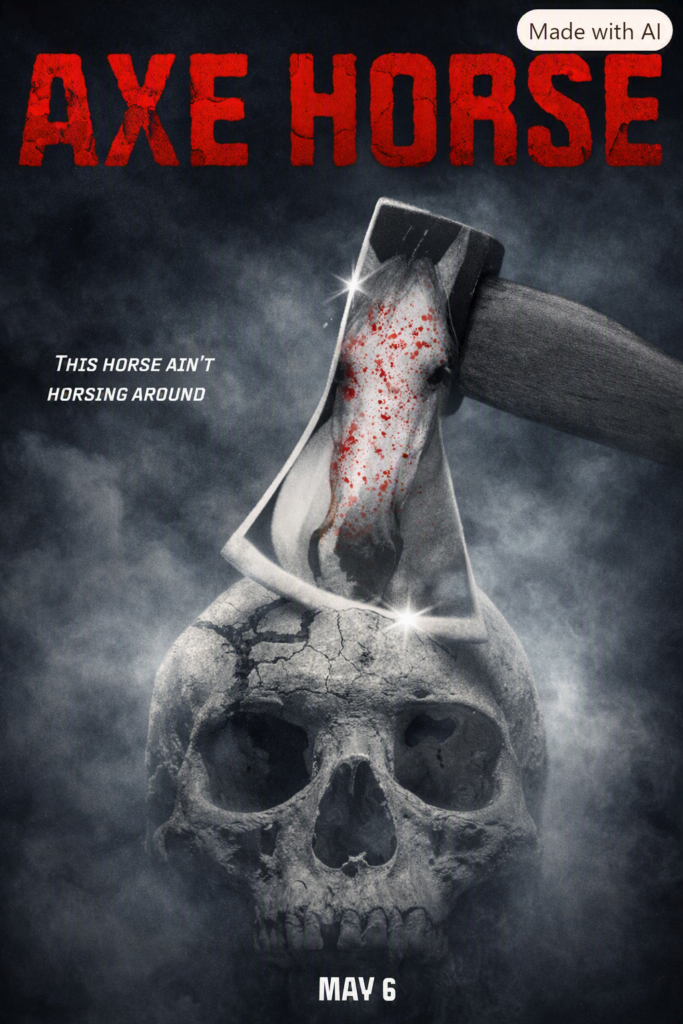
Prompt 1
Using image generation Improve the background so that it isn’t so flat. add fog and texture to improve the realism.
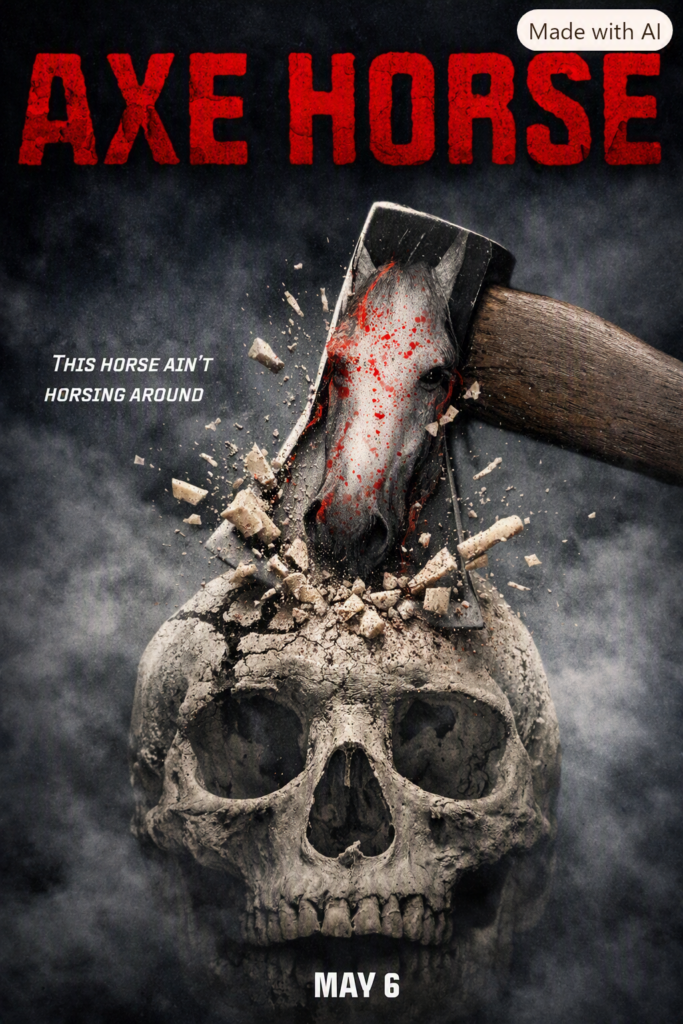
Prompt 2
Using image generation now improve the realism of the axe being lodged in the skull. add pieces of debris bursting from the skull.
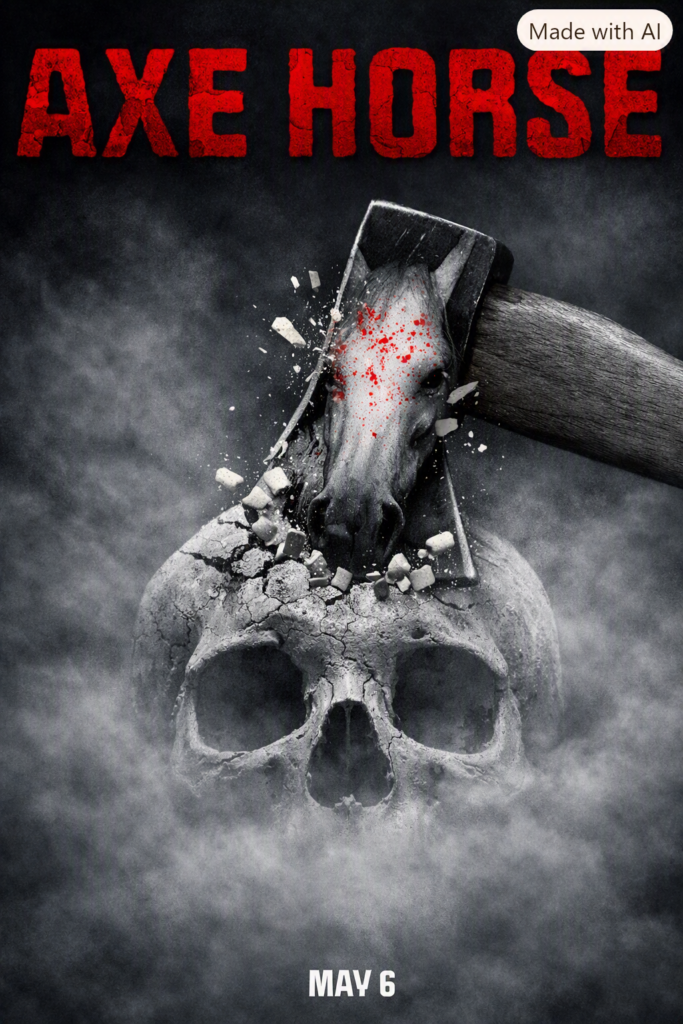
Prompt 3
Dial back the debris keep the bottom jaw hidden keep the skull monochrome.
Pros
- The iteration process was quick and easy
- The AI did not heavily alter the original details
- fast way to see how ideas might look
Cons
- The AI adds things I didn’t ask it to add like colour
- It goes overboard on my requests requiring me to reverse its edits in following prompts
- I could start to see details from the original image being lost.
- Copilot sometimes generates text instead of images when prompted
I found that building on the poster iteratively introduced some problems as overtime the poster contained less of the original art. To combat this, I attempted prompting all the changes I wanted to see all at once.
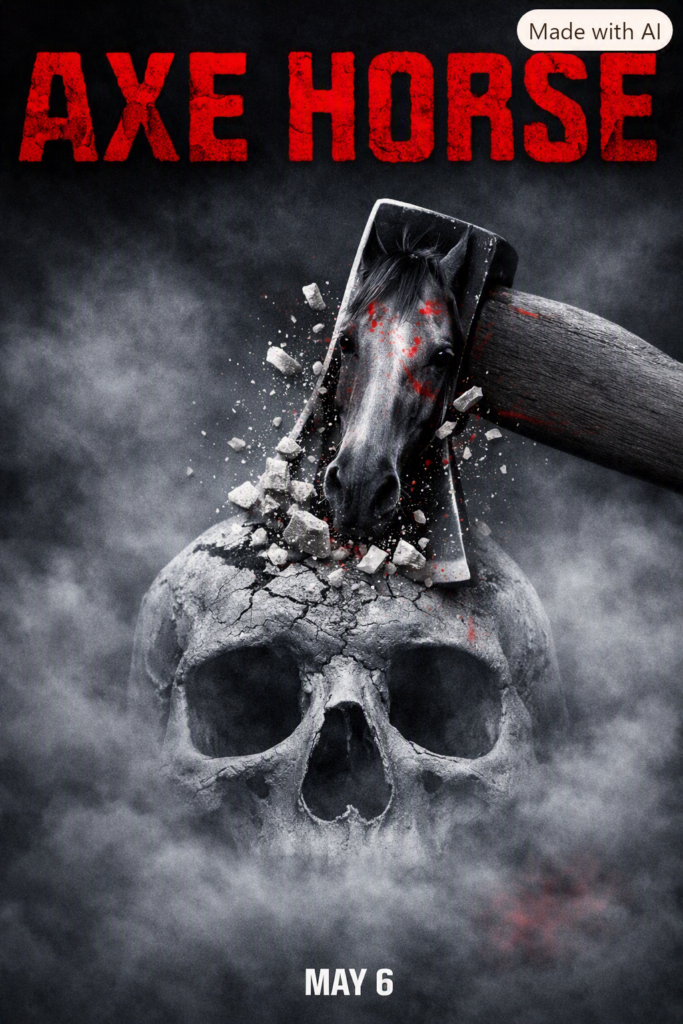
Prompt: Create an image of this with improved atmosphere adding a subtle fog effect in the background. also improve the clarity of the horse in the reflection of the axe and make the axe launch a small amount of debris. add more red accents through out the image but overall keep it monochrome
Result
Reflection
Prompting everything at once didn’t seem to help much with improving the design. I mostly ended up with the same results, and more of the original image was altered than before. As I had a specific vision in mind, prompting the AI could be frustrating as it couldn’t fully understand what I wanted from it. Despite this, although the result was not what I was hoping for, it was still helpful for exploring ideas quickly.
Overall, I believe the AI somewhat assisted me in meeting my design brief. The first iteration of the poster was promising however, subsequent iterations fell short as the AI struggled to understand what I wanted. As well as this, some of the results looked distinctly “AI” which could be off-putting for some viewers.
How might AI tools assist designers and/or disrupt the design practices?
AI could potentially be useful and harmful for the design practice. AI can greatly increase the speed of traditional creative workflows by enabling faster prototyping. However, this speed and accessibility could also disrupt established design practices. It raises questions about originality and shifts the designer’s role from maker to something more akin to a creative director. As I found undertaking this experiment, this isn’t always ideal as the AI isn’t able to create exactly what you’re asking it to create. As well as this, the increased efficiency could also harm job outlooks for future designers as less people are needed to perform the same job.
Overall, AI can be helpful as a tool for quick prototyping as it enables rapid prototyping and experimentation. However, it could harm job opportunities for future designers as well as introducing new problems with specificity in designs.